
 English
  Español


A government ID card is more than just a document with a printed design and a built-in security chip. Its core functionality comes from the applications running within the Secure Element, including storing identity credentials, verifying the cardholder’s identity, protecting encryption keys, responding to government terminals, and supporting various public service applications. Indeed, Java Card for government ID can be customized by loading government-specific applets, provided that the selected Java Card platform meets the required memory capacity, encryption algorithms, interface standards, and application functionality requirements.
This programmability is one of the primary reasons government agencies and system integrators choose Java Card technology. At the same time, we believe that customization for government projects should begin at the application specification level, rather than merely following the simplistic approach of “selecting the chip first and adding software later.”
Customization of Dedicated Applets for Java Card for government ID
Government-specific applets determine how Java Cards for government ID interact with terminals, backend systems, and authorized users.
Their simplified architecture is as follows:
Government Backend System
- → Card Reader/Terminal
- → Government Applet
- → Java Card Security Services
- → Secure Hardware
This enables issuing authorities to define project-specific functions without relying on generic card operation modes.
The most common areas for customization include:
| Customization Area | Typical Government Application |
| Identity data structure | Citizen ID, issuer data, credential status |
| Authentication logic | PIN, challenge-response, certificate authentication |
| PKI functions | Key storage, digital signatures, certificate use |
| APDU commands | Government reader-to-card communication |
| Access rules | Control which terminal can access each function |
| Multi-application design | ID, healthcare, signature, public-service applets |
| Lifecycle control | Installation, activation, update, suspension |
For example, one government agency may require a PIN before performing a digital signature operation; another may allow basic authentication without a PIN but require higher-level authentication before accessing sensitive services.
Because the business logic resides within the applet, government-class Java Card can be configured to match the issuing authority’s actual workflow.
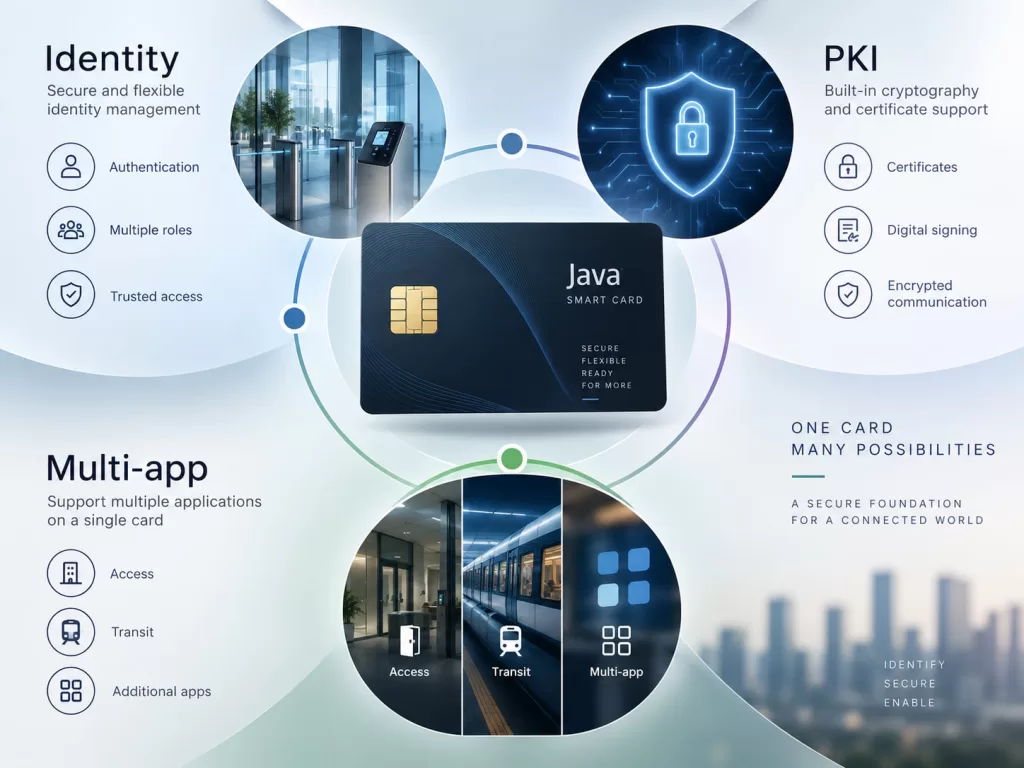
Customizable Identity, PKI, and Multi-Application Features
For government identity projects, the most valuable applet features typically fall into three categories.
Identity Recognition and Authentication
The applet can control how identity credentials are accessed and verified. Relevant features include:
- Citizen or credential identifiers;
- PIN verification;
- Retry counters;
- Credential validity checks;
- Access control rules.
Projects do not need to store all citizen information directly on the card. In many architectures, the card stores only secure identifiers, certificates, or credentials, while a protected backend system retains detailed personal information.
PKI and Digital Signatures
Java Cards for government identity verification can also protect private keys and perform cryptographic operations within the Secure Element.
The process is as follows:
The terminal sends a challenge
- → The applet verifies authorization
- → Encryption operations are performed internally by the Java Card
- → The authentication result or signature is returned
During normal operation, the private key does not need to leave the secure card. However, the selected platform must support the required algorithms, such as the appropriate RSA, ECC, AES, hashing, or other cryptographic functions.
Multiple Government Applications
In certain government projects, a single card may ultimately need to support national identity verification, PKI authentication, digital signatures, healthcare, social services, and more. Java Card allows multiple applets to coexist on the same platform, while GlobalPlatform helps manage applications, security domains, and lifecycle permissions.
This is especially important for large-scale government projects, as different agencies can run independent applications without requiring all services to share the same application keys or administrative privileges.
From Custom Mini-Programs to Large-Scale Government Project Deployment
For large-scale government projects, developing a mini-program is just one step in the process. A complete implementation workflow should follow these steps:
Requirements Analysis → Platform Selection → Mini-Program Development → Testing → Customization → Pilot → Mass Deployment
This process becomes especially important when a project plans to issue hundreds of thousands or even millions of cards.
Step 1: Define Application Requirements
Before selecting a Java Card platform, the project must confirm the following:
- Required applications;
- Contact, contactless, or dual-interface operating modes;
- Encryption algorithms;
- PKI requirements;
- Storage requirements;
- Authentication workflows;
- Card reader commands;
- Expected lifecycle;
- Applicable standards or certification requirements.
This step aims to prevent situations where a card is selected only to discover later that it cannot support the required mini-programs.
Step 2: Selecting the Appropriate Java Card Platform
The application’s requirements should determine the card platform. A single-function national ID card application requires far less memory than a composite card that integrates the following functions:
Electronic ID (e-ID) + PKI + Healthcare + Digital Signatures + Other Public Services
Therefore, before recommending a card, we evaluate the required memory size, Java Card version, GlobalPlatform support, cryptographic capabilities, and communication interfaces.
Step 3: Develop and Validate the Government Mini-Program
Subsequently, the mini-program must be tested against the following:
- The selected Java Card;
- Actual APDU commands;
- Card reader hardware;
- Government middleware;
- PKI infrastructure;
- Personalization process.
For government projects, testing the application on a development card is not enough; the final issued credentials must operate reliably across the entire system.
Step 4: Secure Personalization and Pilot Production
Government cards may require personalization, including card identifiers, certificates, application keys, PIN data, Security Domain settings, and application lifecycle status.
We must manage these elements through a controlled personalization process. Before full-scale production, we follow the following process:
Engineering Samples → Functional Validation → Personalized Samples → Pilot Production Batch → Mass Production
This phased process enables the project team to verify application behavior, reader compatibility, card structure, and production consistency before approving large-volume orders.
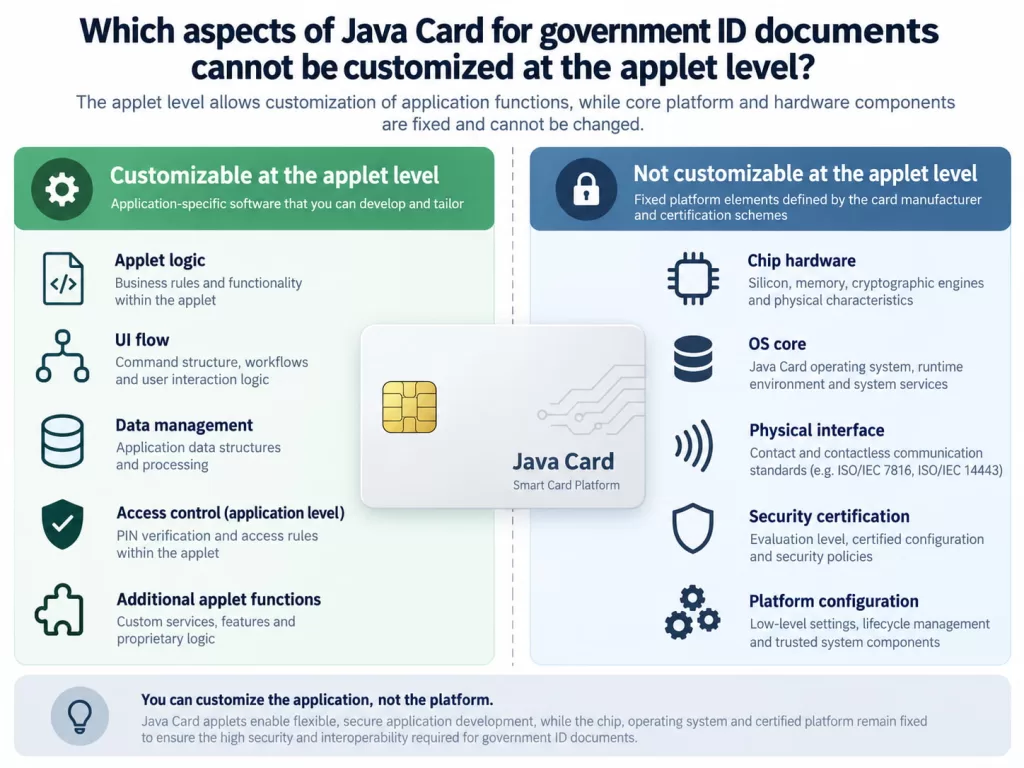
Which aspects of Java Card for government ID documents cannot be customized at the applet level?
Applet customization has clear limitations. The software cannot perform the following operations:
- Add storage capacity not natively supported by the chip;
- Add contactless communication capabilities to platforms that only support contact-based communication;
- Implement encryption algorithms not supported by the hardware;
- Bypass mandatory authentication or interoperability requirements.
Therefore, the correct project implementation sequence should be:
Government requirements → Standards/security requirements → Java Card selection → Applet customization
Can Java Card for government ID be customized via a dedicated government mini-program?
Yes. Java Cards used for government-issued IDs can be fully customized through a dedicated government mini-program, one of the platform’s key advantages in the national identity recognition project.
The customizable mini-program allows for the definition of the following:
- Identity data structure;
- Authentication workflow;
- PIN rules;
- PKI and digital signature capabilities;
- APDU commands;
- Access permissions;
- Multi-application logic;
- Lifecycle management requirements.
This enables government-grade Java Cards to meet the requirements of projects that demand more than just generic security credentials.
However, successful customization depends on the following three conditions:
1. The hardware must support the application.
Storage capacity, interfaces, and encryption capabilities must match the project requirements.
2. The Java Card platform must support the required applets and management architecture.
Confirm the Java Card and GlobalPlatform versions before development.
3. The customized application must comply with government standards and certification requirements.
National ID cards, PKI, e-passports, and other government applications may require mandatory interoperability.